
How to Fax US Retirement Agencies
Many U.S. retirement agencies and plan providers still accept faxed documents for retirement applications, direct deposit updates, beneficiary forms, and other paperwork. Below is a quick-reference list of fax numbers for the agencies people search for most. If you already have the retirement fax number you can use Faxaroo's online fax service for sending one-time fax documents.
Retirement Fax Numbers
Here are some of the retirement agencies people most commonly search when looking for contact information and retirement fax numbers for submitting retirement forms.
Agency | Fax Number | Notes |
|---|---|---|
Social Security Administration (SSA) | No single national fax number | Each SSA office has its own dedicated fax line, so the number depends on which office is handling your case. Explore Fax SSA. |
Office of Personnel Management (OPM) | No general OPM fax number for retirees | OPM Retirement Services doesn't publish a general fax number. Numbers are provided only on specific forms or by a Customer Service Specialist, for example, retirees submitting RI 38-128 (Direct Deposit Sign-Up) can fax it to 724-794-6633. Otherwise, contact OPM first for submission instructions. |
Defense Finance and Accounting Service (DFAS) | 800-469-6559 (DFAS fax number for retired pay/retirees) 800-982-8459 (DFAS fax number for annuitants) | Use the number that matches your account type. The retiree line is for retirees only. |
Railroad Retirement Board (RRB) | 704-344-6429 | General beneficiary fax line (toll-free phone: 877-772-5772). Local field offices also have their own if preferred. |
Pension Benefit Guaranty Corporation (PBGC) | 202-229-4047 | Used for change-of-address and other participant document submissions. |
Teacher Retirement System of Texas (TRS) | 512-542-6597 | Teacher Retirement System of Texas fax number may be used to fax documents. Howver, many forms can also be submitted through the MyTRS portal. |
Ohio Public Employees Retirement System (OPERS) | Call 1-800-222-7377 first | Ohio Public Employees Retirement system fax number varies depending on the type of form. |
California Public Employees' Retirement System (CalPERS) | 800-959-6545 | Calpers retirement fax number may be used to send fax but some requests can also go through myCalPERS. |
Empower Retirement | 1-866-633-5212 (Beneficiary Services) | Empower retirement fax numbers vary by plan and document type. |
TIAA | 800-914-8922 | General fax line for most documents, but beneficiary designations, name changes, and rollover authorizations must be mailed, not faxed. |
Don't See Your Retirement Agency or Provider?
Private providers such as Fidelity, Vanguard, Principal, Voya, Nationwide, Lincoln Financial, Prudential and Charles Schwab, often use different fax numbers for each plan or form. To find the right number:
Check your retirement or distribution form.
Sign in to your provider's account portal.
Call the provider and ask for the fax number for your specific request.
Need Help Finding the Right Retirement Organization?
Here are some websites which can help you find more information about your retirement plan.
U.S. Department of Labor's Retirement Savings Lost and Found Database - Search for retirement plans linked to your employment history and identify your retirement plan administrator.
PBGC Find Unclaimed Retirement Benefits - Check whether the Pension Benefit Guaranty Corporation (PBGC) is holding unclaimed retirement benefits from a terminated pension plan.
USAGov Agency Index - Browse the official A–Z directory of U.S. federal agencies, including retirement-related agencies such as SSA, OPM, DFAS, PBGC, and RRB.
National Association of State Retirement Administrators (NASRA) - Explore information and resources for more than 140 state and local public retirement systems across the United States.
Why You May Need to Fax a Retirement Agency
You may need to fax a retirement agency when submitting forms or supporting documents that require a signature or identity verification. If you're only sending documents once, a one time online fax service can be a convenient alternative to using a fax machine. Common examples include:
Retirement applications - Submit retirement applications and supporting paperwork.
Direct deposit and address updates - Update your banking or mailing information.
Beneficiary and survivor forms - Send beneficiary designations, survivor benefit elections, and related paperwork.
Supporting documents - Submit identification documents, court orders, death certificates, and other required paperwork.
Time-sensitive requests - Send forms before retirement benefit deadlines or processing dates.
How to Send Fax with Faxaroo in 3 Easy Steps!
Once you've found the correct retirement system fax number, Faxaroo lets you send your documents from a browser, no fax machine or dedicated phone line required.
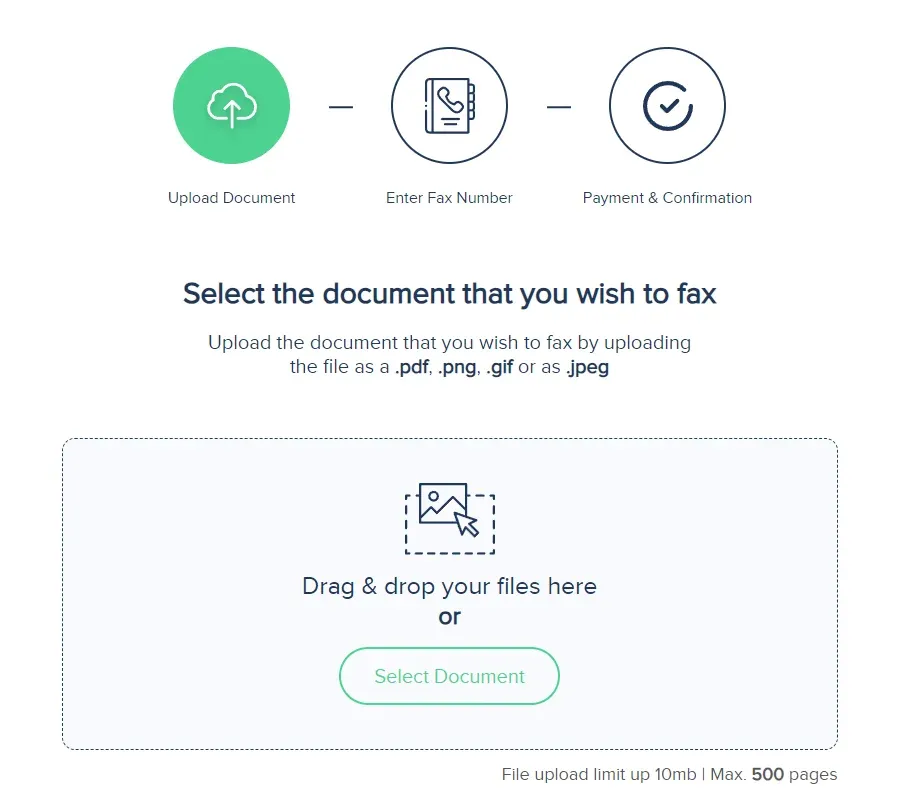
1. Upload your fax document to our secure web portal by selecting the document from your device or using our easy drop and drag feature. Faxaroo supports PDF, PNG, GIF and JPEG – so you can easily take a photo of the document using your mobile phone and upload it to Faxaroo within seconds!
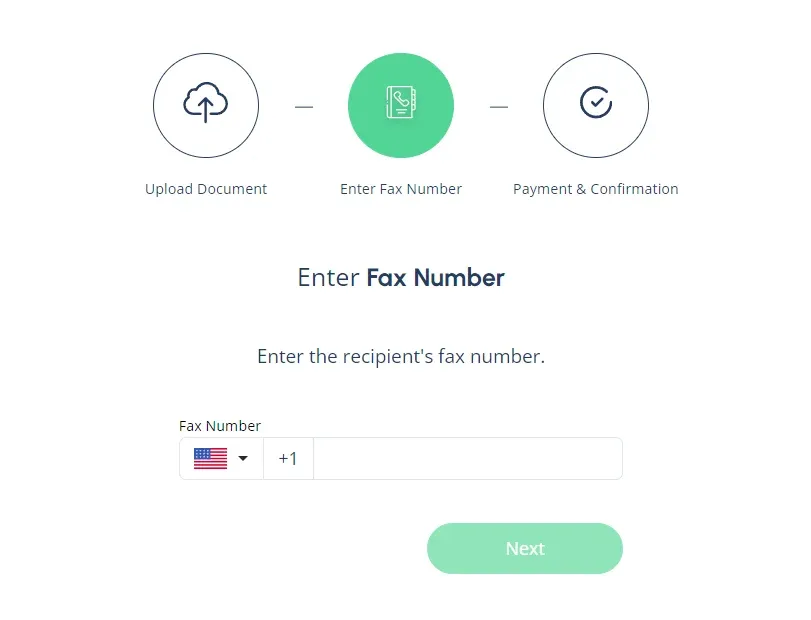
2. Enter the fax number. Be sure to include the area code followed by the fax number.
3. Select your payment method. Once you’ve entered the fax number, the final step is to confirm payment. Faxaroo accepts payment via Visa or Mastercard.
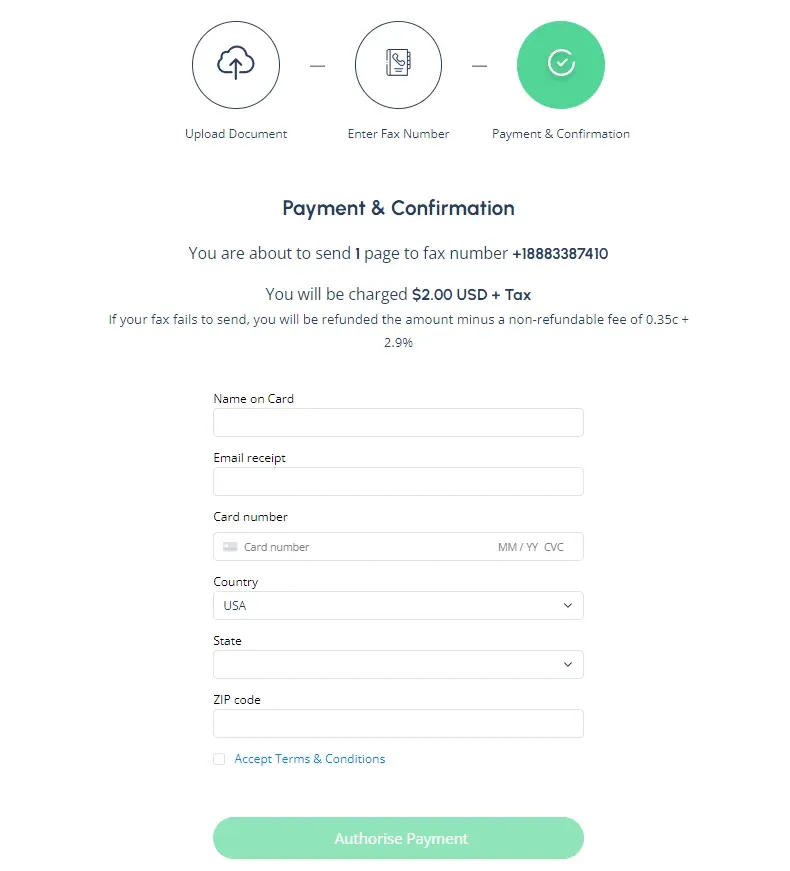
Once you’ve entered your payment details, hit send and we’ll take care of the rest!
Why Faxaroo is the Best Choice for Your Retirement Agency
Here's why many users choose Faxaroo:
No sign up required: Makes faxing fast, no logins and passwords required - users don't have to remember yet another login.
Pay as you go: No subscriptions, meaning users aren’t required to pay monthly fees or worry about canceling after sending just one fax.
Security: Your documents are handled with care and confidentiality. Faxaroo is ISO 27001 certified, encrypted and processed via TLS encryption for ultimate security.
Accessibility: Faxaroo is compatible with all devices - smart phones, tablets, and computers, allowing you to send faxes fast while on the go. It's also a 24 hour fax service which means you can send a fax anytime, day or night, without needing a physical fax machine.
Environmentally Friendly: Reduce paper waste with Faxaroo's digital faxing, contributing to a greener planet.
Reliability: Faxaroo provides instant fax confirmation of fax delivery via email, giving you peace of mind that your documents have reached their destination.
Low-cost fax: With Faxaroo, there are no hidden fees. You only pay for the pages you send.
Compatibility: Faxaroo supports multiple file formats including PDF, PNG, GIF, JPEG.
Global Reach: Send faxes internationally to destinations like Australia, Canada, Japan, and Germany.
Send as many pages as you need: User can send a large fax (Up to 500 number of pages). Most free fax options restrict sending to a few pages per day or make users upgrade plans to send more.
Fax Your Retirement Documents with Faxaroo in Minutes
Retirement applications, direct deposit updates, mailing address changes, and supporting documents can all be sent online with Faxaroo, no fax machine required.
Simply upload your document, enter the verified retirement agency fax number, and send your fax in minutes. Once your fax has been delivered, Faxaroo will email you a confirmation, giving you peace of mind that your retirement documents have reached the agency.
The Best Way to Fax? Why Choose Faxaroo

Secure & Reliable
Faxaroo takes data protection seriously, with its ISO 27001 certification. All faxes are encrypted and processed via TLS encryption. Faxes are automatically deleted once they’ve been sent.

Pay Per Fax Page
Faxaroo works on a pay-as-you-go basis, meaning you can send faxes whenever you need to without being stuck on a monthly plan. If you only need to fax one-time, Faxaroo is a great, no-strings-attached option.

Easiest Way To fax
No sign-up required - only pay for the fax pages you send. It’s as easy as uploading your fax document to our fax platform and we’ll handle the rest.


 Fax from phone, computer or tablet
 Secure & reliable online faxing
 Cost effective, pay per pages sent
 Easy to use, self-service fax platform
 No plans or contracts, pay-as-you-go





 United States
  Australia
  Germany